Tampilkan postingan dengan label guidance. Tampilkan semua postingan

Kamis, 05 Mei 2016

How To Copy Website Make Duplicate Website for Offline Working Guidance in Urdu Hindi Video

,
There are another Trick that I discuss with you. This trick is very Unique and very rarely Peoples knows about this useful knowledge. Anyway with this useful trick that I going to tell with you can Copy any Website that is present on internet. You make duplicate copy of any Blog or Website for offline working thats mean If you not have a Internet for sometime then this time you use it;s duplicate copy content which you generated with the help of Software. And this duplicate copy same to same like as website, you will felt that you working on internet. You can also give a gift to your any Friend Like If he/she interesting in HTML CSS or any other Computer languages then you make duplicate copy of W3schools and gift to your friends for learning. And he/she can also use it without internet. You Must Watch Video Below for complete Training.
copy-website-for-offline-work


You can also read How to Recover your Data from Hard Dick:

How to Make Duplicate Website for Offline Working?

  • First Download Software WinHTTrack Website Copier.
  • Install this Software ( its size is very small)
  • After Installed > RUN (Open this Software)
  • Click on Next button
  • Now in first box give a project name and in second box project category and select the path where you want to Download selected Website
  • Now Hit on Next button
  • In Web Address box write the Website URL that you want to download
  • And Hit Next button
  • Press Finish button
  • Now your Downloading will be started on selected path
  • It will take up-to 15-60 Minutes depending upon Website content
This procedure is very fast and you copy your any Website within a minutes. Some times your internet connection is going to out of range, and you want to learn any thing then you use this method and copy any website and behave same like as website even your internet connection is out of range.


Make Duplicate Copy Website for offline Work... by onlineexpert
Dont forget to Share this Post of this Site with your Friends and Relatives on Social  Media Sites. Please Share your thoughts in Comment Section and if you have any Question about this topic So tell me in Comment Section. Thanks for reading this Post!
Read more

Senin, 04 April 2016

How to Create A Blog Set Up Free Blogger Blog Complete Guidance With Video Tutorial

,
Create a Blogger Blog. It is very Easy, you just know basic things about Blogger. Blogger is Google Product, and give you a huge Platform to make unlimited Blog. Once you create a Blog on Blogger it gives you Hosting from Picasa which is again Google Product. When we think about Create a Blog, two ideas are comes in our mind. First is Blogger and 2nd thing is WordPress. Because these two Platform gives option to create a free Blog and both of these are equal in competition.

Make-SEO-Friendly-Blog


If you are a newbie then my recommendation is to make a Blog in Blogger which is totally free. Start your Online work with Blogger and when you reach your second success step and Make some Money then convert your Blogger Blog into WordPress. Sometime Blogger Disable/Delete your Blogger Blog without any Warning or Message. And If your Blogger Blog is Deleted then you do nothing except Disappointment, because you worked hard with your Blog. You should convert your Blog from Blogger to WordPress which is very simple. WordPress is Self-Hosted Service. When convert Blog from Blogger to WordPress, you must purchase web-Hosting from any Company ( Host-Gator, Blue Host, Go Daddy etc) and Install WordPress Script Into Purchased Hosting.
Note: Also Read How To Make Money With Host-Gator Affiliate Program

Steps How To Create Blogger Blog:

Go to Blogger.com. Sign-in with your Google G-Mail Account. You can sign-in into all Google Accounts through only one Google G-mail ID. 
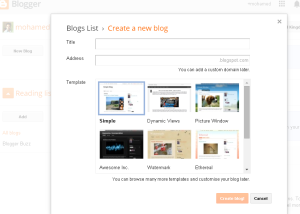
Hit on create a New Blog Button.
After this you will be redirect Select Domain Name Page, Here chose a Domain Name and select any one Template Theme Below. 
Your Domain Name appear like this .... example.blogspot.com

First Step:

Make a Blogger Blog
Second Step:
How to make a blog
Third Step:
Blogger Dash Board
Fourth Step:
Blogger Post Settings

I hope you understand this Topic. Also watch Watch Video for Complete & Practical Training. In Below Video I explain Blogger Blog in Detail. You can also Make Money through Blog by participate in different Advertisement Companies like Google Adsence, Infolinks, Chitika, Qadabra, Media.net etc. 
Recommend: Also Read Complete Blogger SEO

Blogger Blog Video Training:


How to Create Free Blogger Blog | Basic Concept... by onlineexpert

You can also give me a Favor by Sharing this Post  with your Friends & Relatives. If you have any Question please Feel Free and Ask in Comment Section. Thanks in Advance!
Read more

Jumat, 25 Maret 2016

Complete Blogger Blog Settings Features Tutorials With Full Guidance Video Training

,
Complete Blogger Blog Videos Training: Blogger is the Platform where you create multiple Blogs and adjust its all setting. Blog can related about any topic. When we create a new blog it looks like simple and not interested, So we must change some settings and input important tools and widgets. After these some settings we can implement SEO on our Blog/Website. If Blogger owner wants to Make Money through Blog then first he create a Blog, Second It makes some changes and settings which I describe Below by Helping the Videos in Detail, Now third step is submit Blog in all Search Engines, Blog Directory, Article Submission, Social Marketing etc (SEO). SEO is the main part of Blog because 70% above Visitors comes from SEO. Final step is he put ads in Blog from different Advertisement Companies and Earn Money. And all above stages is not very Easy, you must do hard work for Making Money from Internet. Today Ill train you that how to make changes in Blogger Blog by Easy & Right way in Below Video tutorials.

New-Blogger-Interface

In the Previous Post I already discuss how to create a Blogger Blog Now I am telling you most important Changes, Widgets and Settings after create a new Blog by Helping Videos. 

SEO-Friendly-Blog
Recommend: Also Watch How to Create Free Blog on Blogger

New Blogger Interface SEO Settings Videos In Urdu:

Blogger Interface (Overview) and Settings:


Blogger Settings After Creating Blog For SEO... by onlineexpert


Blogger Post, Pages and Stats Settings:


Blogger Settings After Creating Blog For SEO... by onlineexpert


Blogger Template and Layout Settings:


Blogger Settings After Creating Blog For SEO... by onlineexpert


Click Here For Off-Page Advance SEO

I hope you understand my all discussion and Blogger Settings. If you have any Question Please Feel Free and leave your Question in Comment Section. Your thoughts is very valuable for us. And Please Share this Post with your Friends and Family Member on Social Media Sites because you can Help us by doing this action. Thanks in Advance!
Read more
 

Sharing Information Copyright © 2016 -- Powered by Blogger